Keep Rayfin up to date
Know when a project's Rayfin CLI and SDK are out of date, and let Copilot upgrade them together while keeping the app building.
Each Rayfin app pins its own Rayfin CLI and SDK packages. Fabricator reads those installed package versions and, when a newer Rayfin release is available, offers the update in the status bar.
Read the Rayfin status
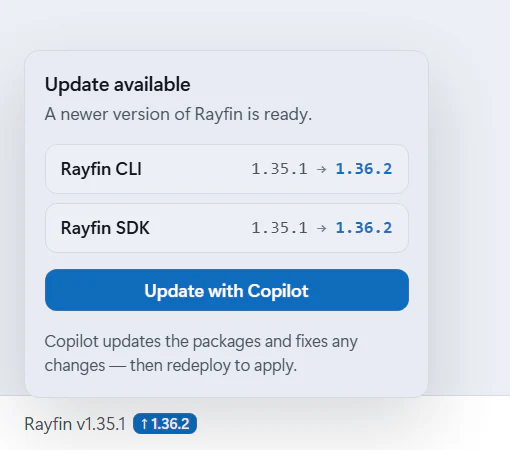
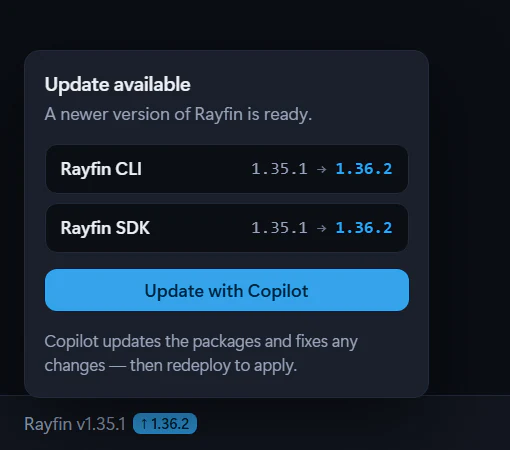
When a newer Rayfin release is on npm, the status bar shows the project's version as Rayfin v<version>, followed by the latest version, such as ↑ 1.36.2. When the project is up to date, the status bar shows nothing for Rayfin.
Open it to see separate rows for:
- Rayfin CLI
- Rayfin SDK
The version checker reads @microsoft/rayfin-cli as the CLI package. Other @microsoft/rayfin-* packages are treated as SDK packages.
Update with Copilot
When an update is available:
- Select the Rayfin version in the status bar.
- Review the version rows.
- Select Update with Copilot.
Fabricator sends a prepared upgrade request to the Build chat. Copilot is asked to:
- set exact Rayfin package versions in
package.json, - run
npm install, - keep Rayfin SDK packages in lockstep,
- pin Rayfin connector packages to the new CLI version when the app uses them,
- check the installed Rayfin docs for deprecations and known limitations,
- update app code so it still builds and runs,
- avoid running
rayfin up.
For local deployments, Fabricator redeploys automatically after a successful Copilot turn when there are undeployed changes. Team workspace apps are deployed by their pipeline instead.
Why lockstep matters
Rayfin packages ship as a family. The Advisor rule catalog checks that the SDK packages are on one version because mixing @microsoft/rayfin-core, -client, -data, -auth, -auth-provider-fabric, -lib, -functions, -storage, -embed-host, and -local-dev versions is untested and can break at runtime.
The CLI and SDK version independently, but newer releases carry fixes and match the current docs. See the Rayfin changelog.
Minimum version for current Fabricator features
Team workspaces require Rayfin 1.36.2 or newer. New projects start on the latest Rayfin release, because Fabricator creates them with the latest Rayfin CLI. Older existing projects keep their pinned dependencies until you update them.
If you move an app into a team workspace, update older apps first with Update with Copilot.
If dependencies are missing
When you open a project, Fabricator checks that the project's Rayfin CLI and the rest of its packages are fully installed, and installs any that are missing or incomplete before enabling the project tools. The check usually takes a moment. If it takes longer, you see a Preparing <project name> status and "Checking the project's Rayfin CLI and installing missing dependencies..." It checks again before it deploys or signs in to Fabric.
If installation fails, Fabricator shows Couldn't install project dependencies with Retry installation and Switch projects.
Manual upgrade prompt
Use this if you want to start the upgrade yourself from the chat instead of the status-bar button:
Upgrade this app to the latest Rayfin release. Keep all Rayfin SDK packages on the same exact version, update the Rayfin CLI package too, run npm install, then check the installed Rayfin docs for deprecations or known limitations and update the app so it still builds.Check app health with the Advisor
Use the Advisor's grade, quick checks and read-only Copilot deep review to find security, data and quality issues, then fix, verify, dismiss or mute them.
What are team workspaces?
Build Rayfin apps with teammates in a private GitHub repository, with personal previews and a pipeline that publishes to Fabric.